Private tutor
A tutor who teaches their own students
- One workspace without administrators or team settings
- Your own sign-up form, enquiries and trial lessons
- In-person lessons at your address, online and hybrid lessons
Manage your schedule, materials, tests and new student enquiries without juggling spreadsheets and chats. Students use MyTutor Learn on their phones or in a browser.
From the first enquiry to regular lessons, MyTutor brings administrators, teachers and students together.
30 days free Tutor workspace · MyTutor Learn for students Web workspace for your centre team · MyTutor Learn for students
 MyTutorMy workspaceA
Interface preview · demo data
MyTutorDemo centreAInterface preview · demo data
Who MyTutor is for
A tutor who teaches their own students
A team of teachers and one or more branches
Features
Manage your students, lessons and materials yourself, without an administrator or extra settings. Connect students, teachers and branches to your schedule and teaching tasks in a shared workspace.
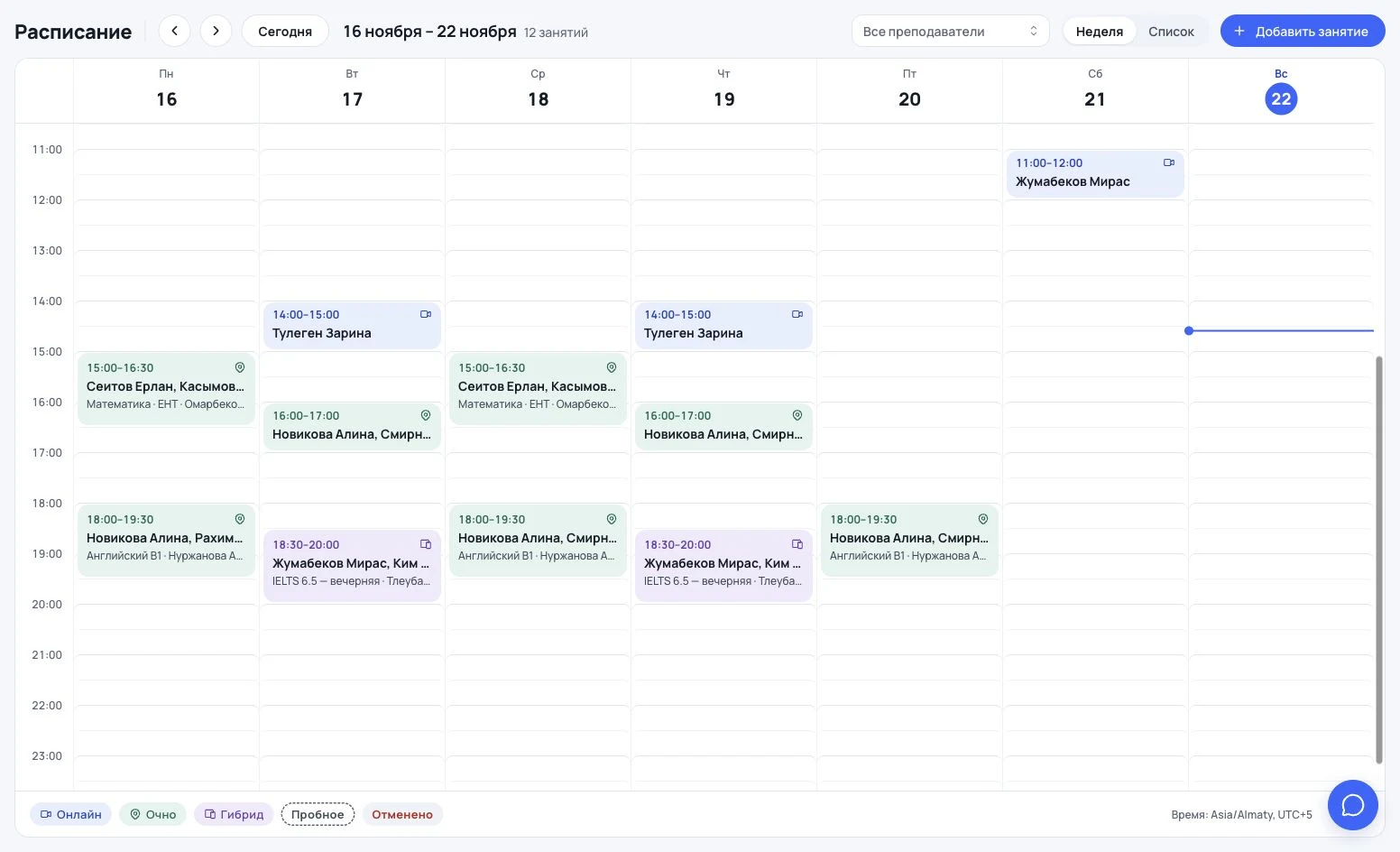
Schedule one-off or recurring lessons at your address, online or in a hybrid format. See scheduling conflicts as soon as they arise. One shared schedule for teachers, groups and branches. One-off, recurring and trial lessons all appear in the same calendar. Scheduling conflicts are easy to spot.
From first enquiry to enrolment: applications, pipeline stages, trial lessons and communication history in one module.
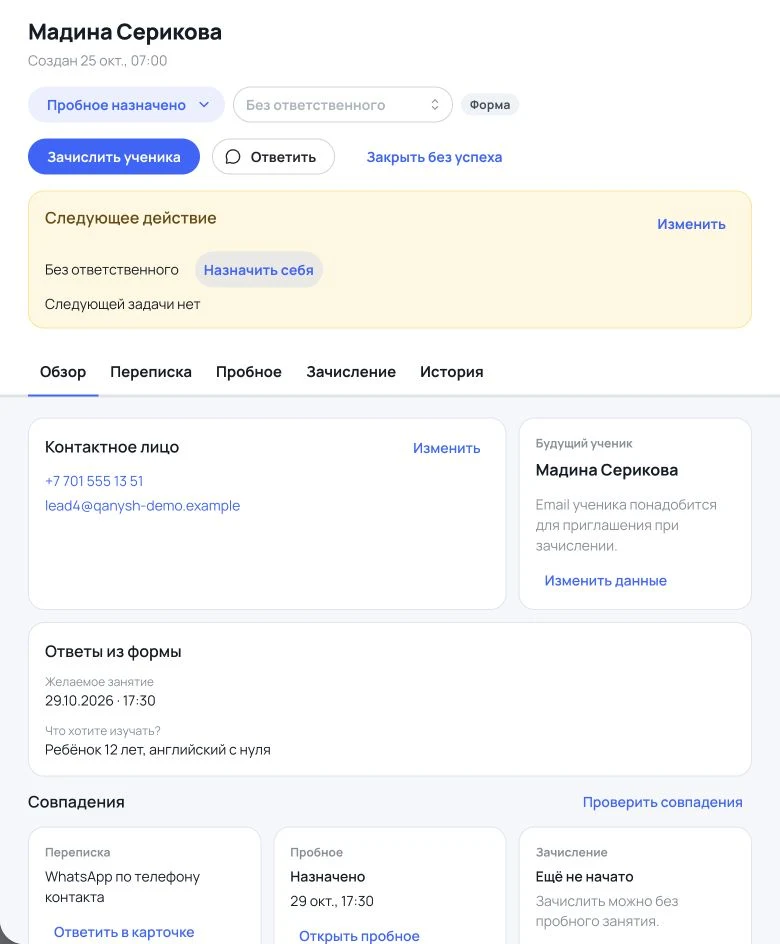
New students enquire through your own sign-up page. Schedule a trial lesson and add them to your workspace.
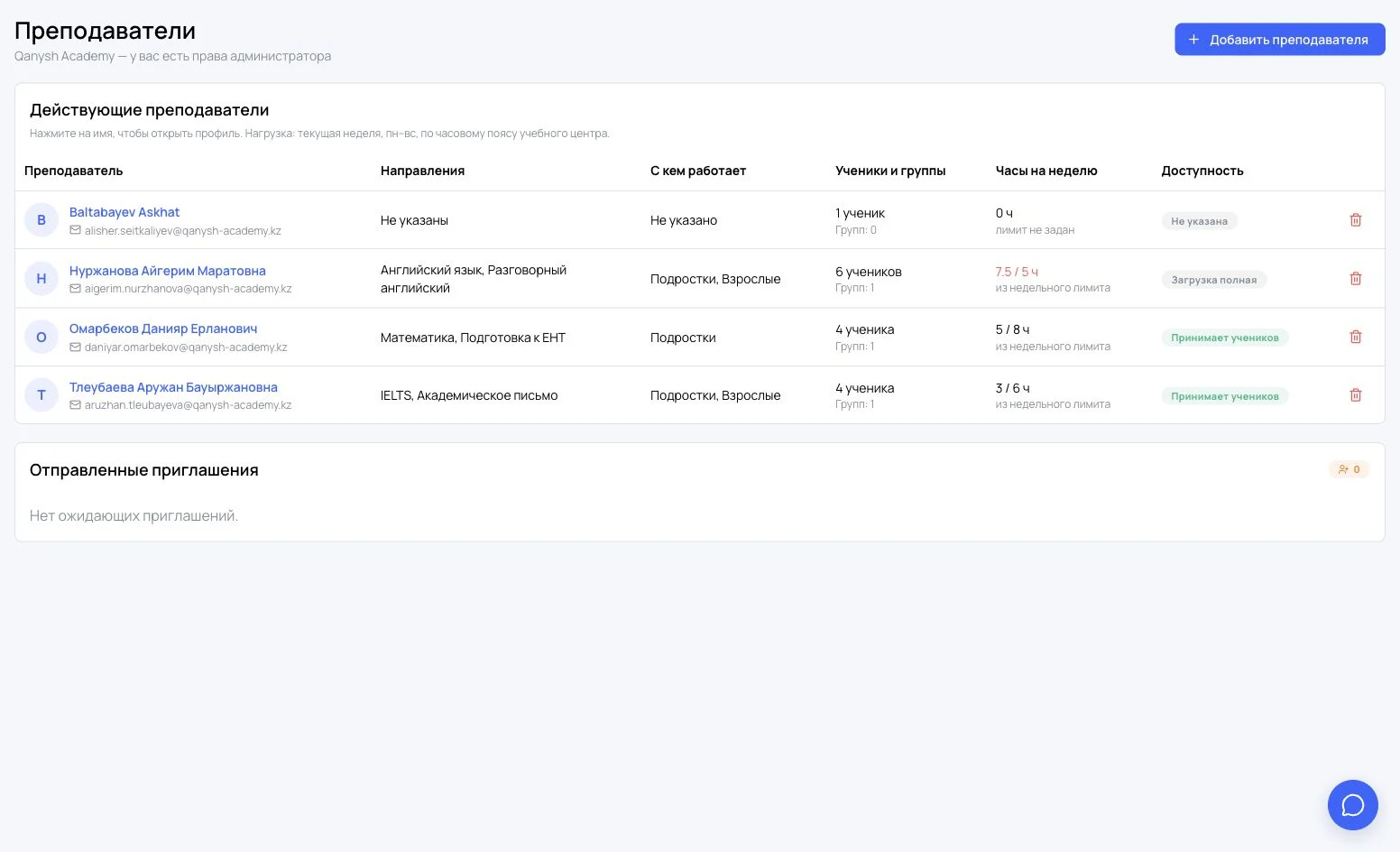
Administrators, managers and teachers work in a shared workspace. In-person lessons are assigned to branches.
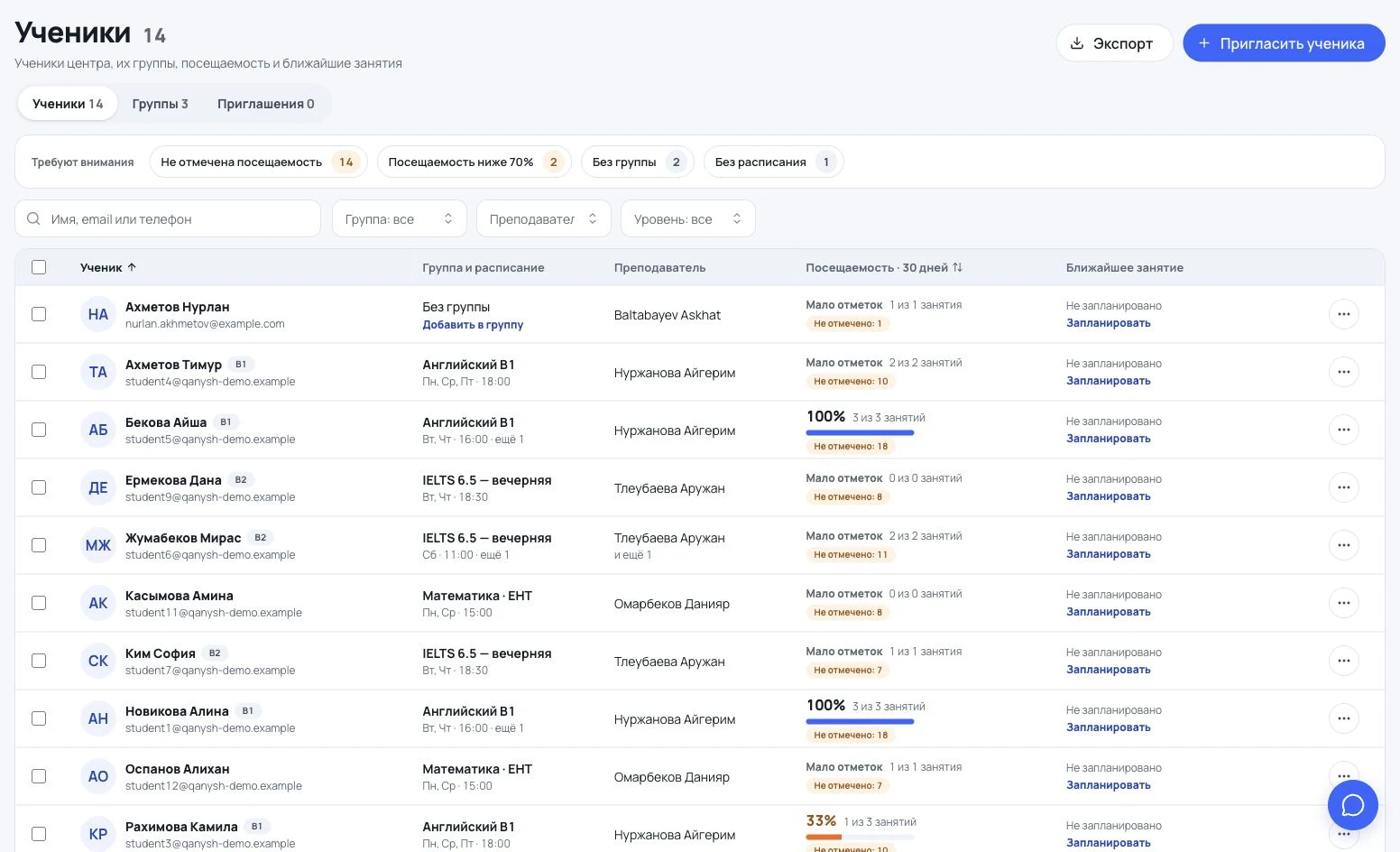
Manage student profiles and groups. Invited students can see their schedule in MyTutor Learn straight away. Manage students, groups and assigned teachers. Invited students can see their schedule in MyTutor Learn straight away.
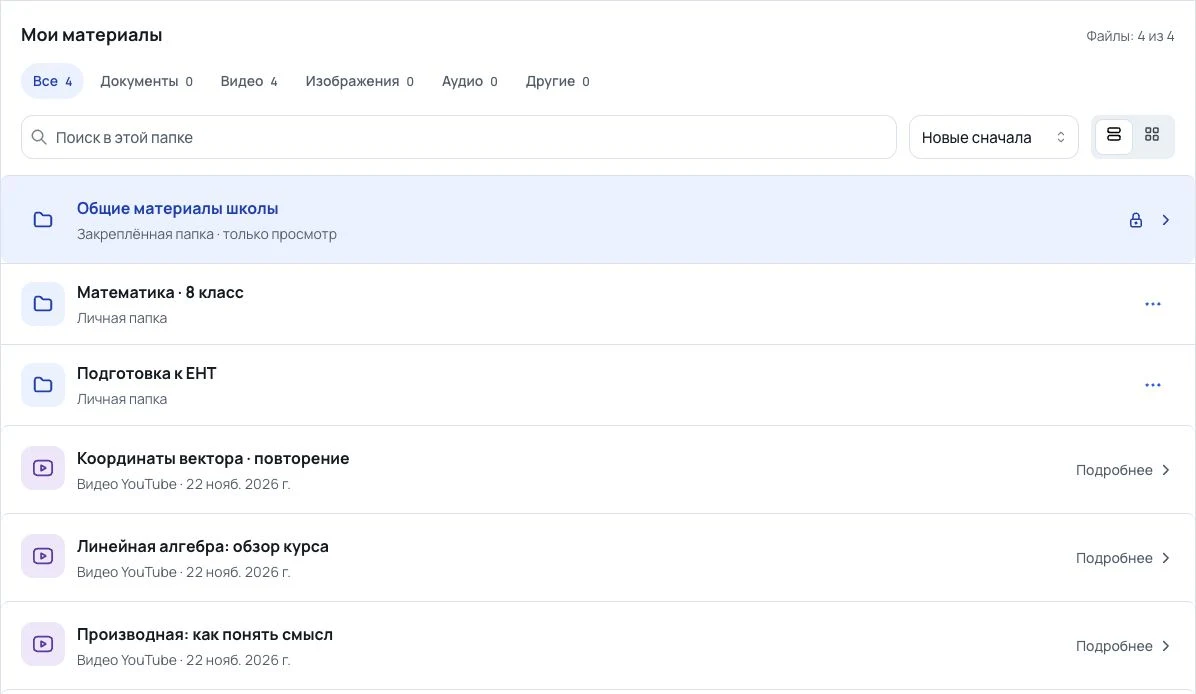
Keep files and assignments for a student or group handy before each lesson.
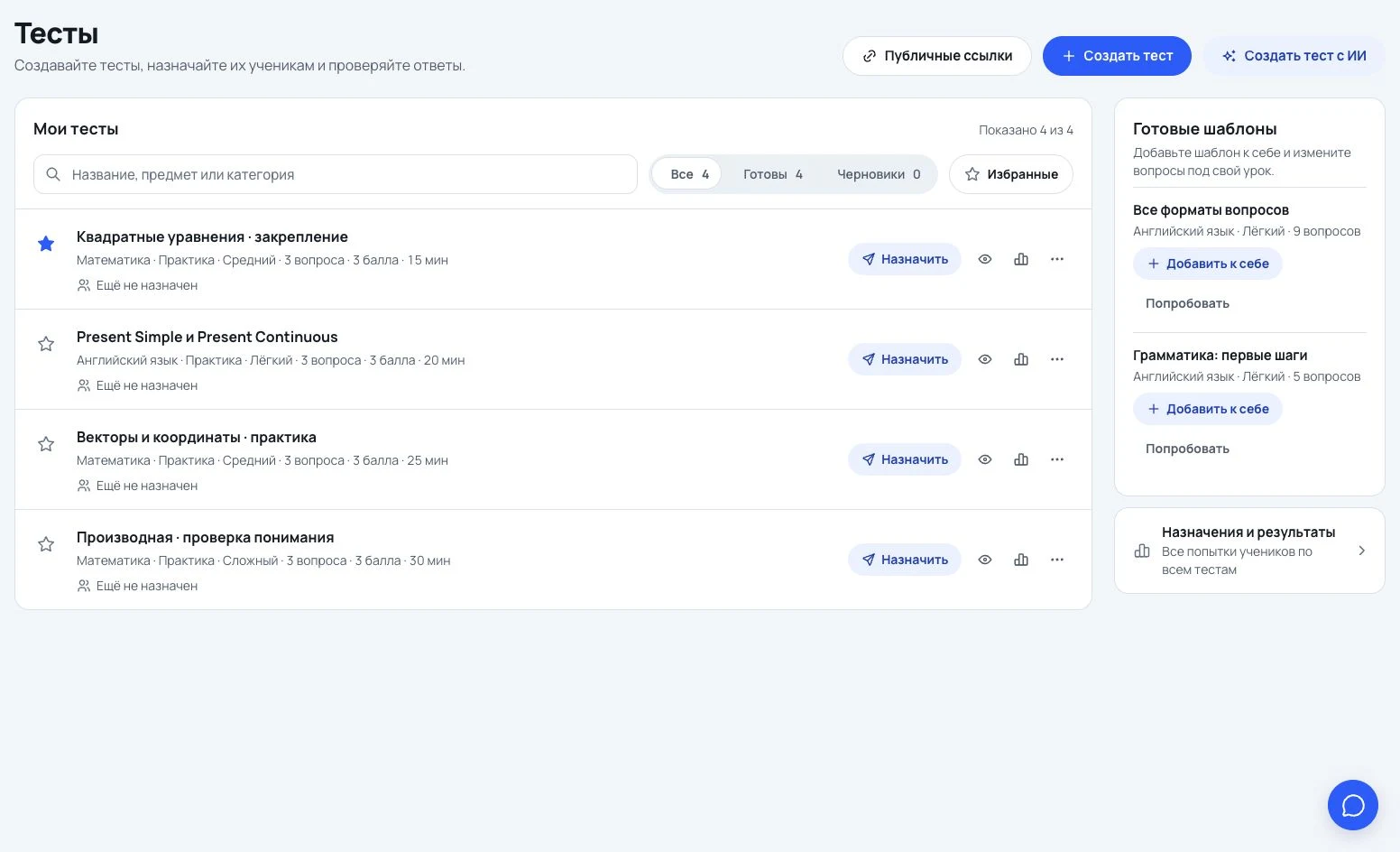
Assign tests with deadlines. Questions with fixed answers are graded automatically, and teachers mark essays.
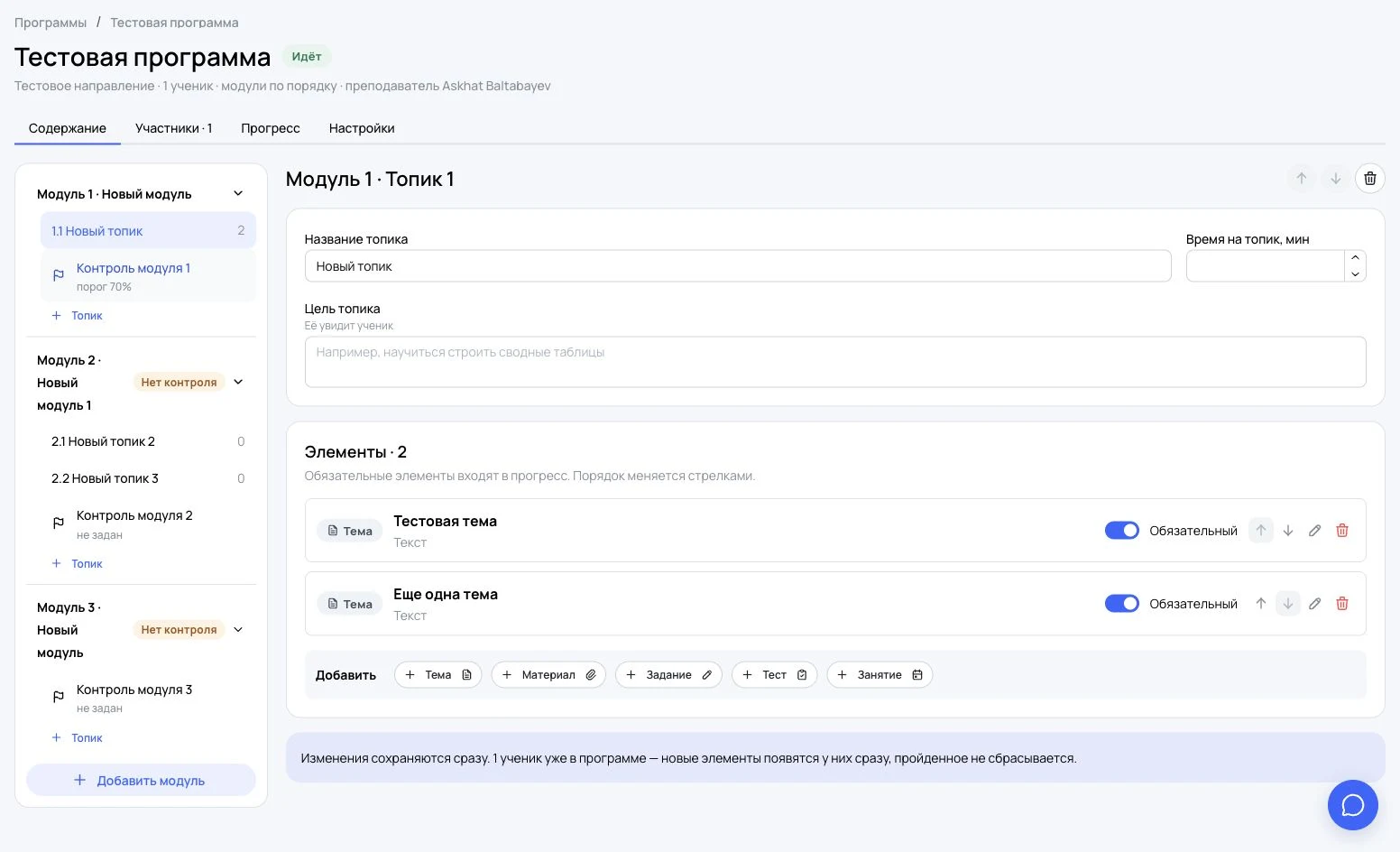
Build a course from modules and topics, assign it to a student or group and track progress.
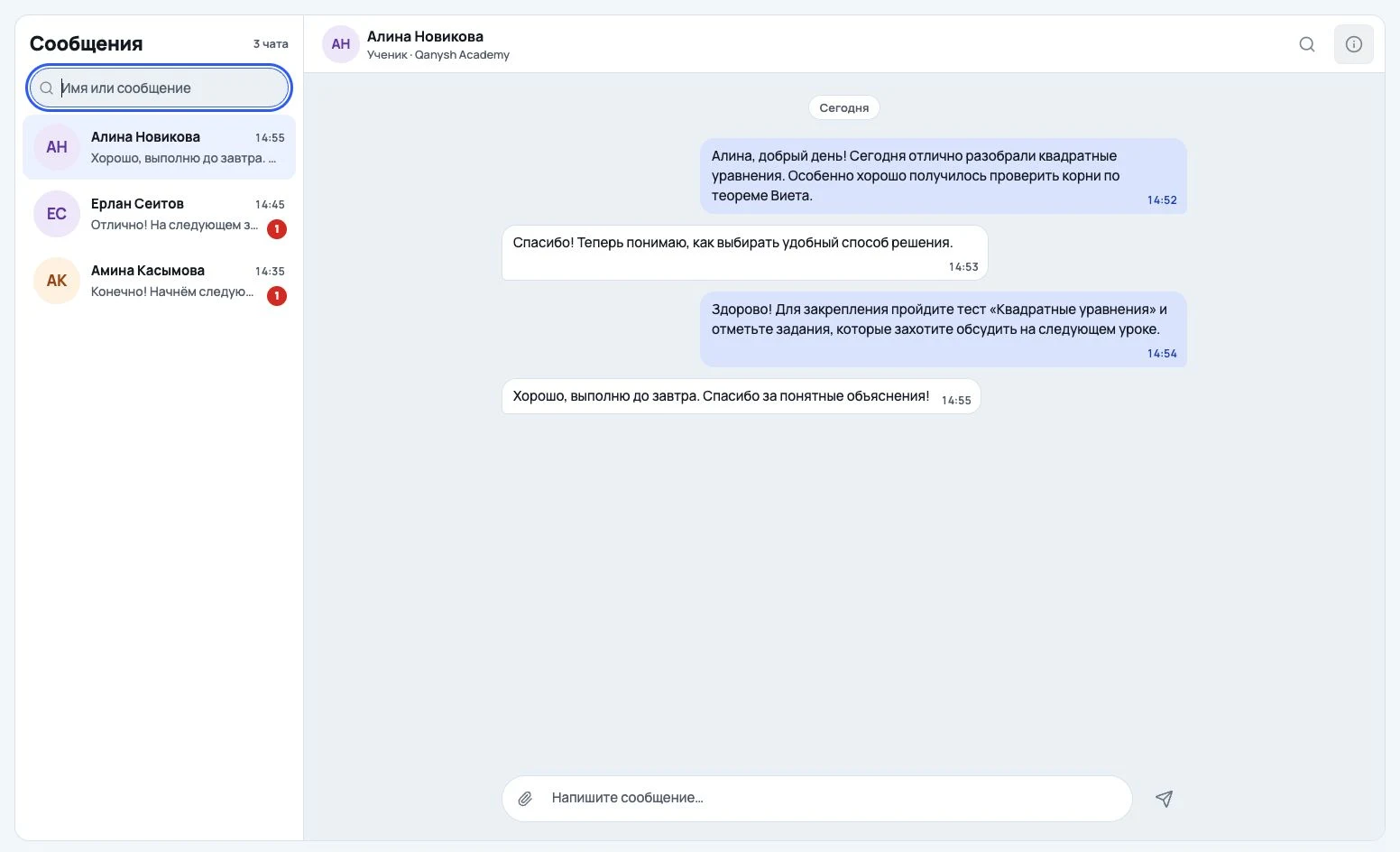
Message students directly in MyTutor so lesson questions don’t get lost in other chats.
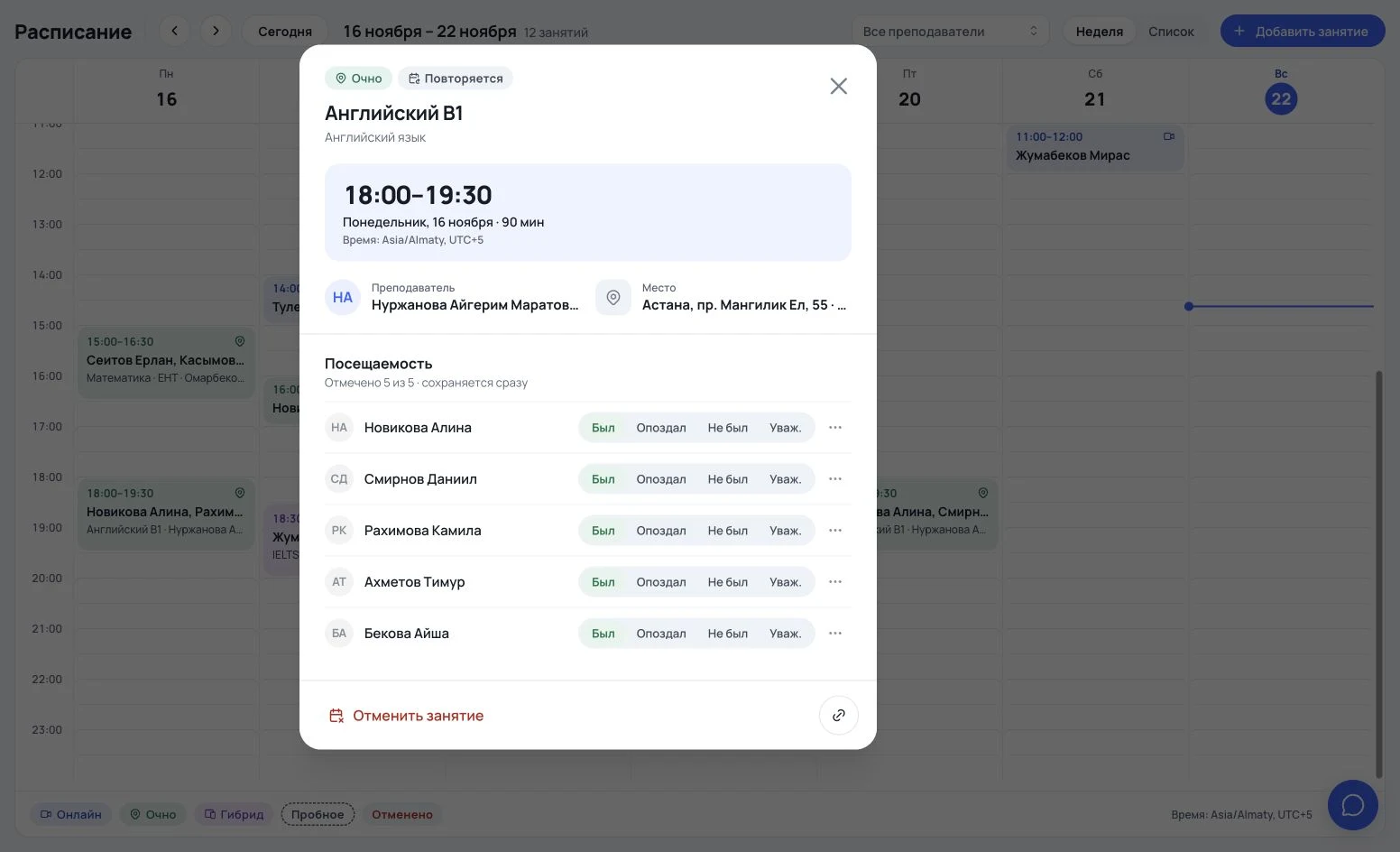
Record attendance to see who missed lessons and how many lessons took place. Record attendance across all groups and branches so your team can see who has missed lessons.
Publish your own sign-up form. New students submit an enquiry, then you schedule a trial lesson and add the student to your workspace. Accept enquiries through a public form, arrange a trial lesson and continue working with the student in MyTutor.
Compare
Both have the same core features. Centres also get tools for teams and branches.
| Feature | Tutor | Centre |
|---|---|---|
| Scheduling and recurring lessons | ||
| In-person, online and hybrid lessons | in person · at your address | in person · at a branch |
| Students and groups | ||
| Materials, tests and programmes | ||
| Chat with students | ||
| Sign-up form, enquiries and trial lessons | ||
| Leads | Coming soon | |
| Attendance | ||
| MyTutor Learn for students | ||
| Staff and roles | ||
| Branches | ||
| Team reports |
Do you teach at a centre and tutor your own students? One login gives you access to both workspaces, each with its own students and data.
MyTutor Learn
MyTutor Learn helps students stay on track with their learning in a browser or the mobile app.
Lessons at your fingertipsSee your schedule and details of upcoming lessons.
Materials, tests and programmesEverything your teacher has assigned in one place.
Direct contactStudents and teachers can chat directly.
Everything for the next lesson
Interface preview · demo data
Getting started
Tell us what and how you teach. The MyTutor team will set up your workspace, and your first 30 days are free.
Invite students, set up your schedule, upload materials and prepare tests.
Students learn in MyTutor Learn while you record attendance and review their work.
Tell us how you teach, how many branches you have and how your team works. We’ll set up your centre with the first 30 days free.
Add teachers, students and groups. Set up your schedule and prepare materials and tests.
Students use MyTutor Learn. Your team records attendance, reviews work and stays in touch.
Pricing
Monthly pricing after the trial. The MyTutor team sets up your workspace after you enquire.
The first 30 days are freeTry MyTutor with your students, then choose a plan.
2 500 ₸per month
20 000 ₸per month
FAQ
Answers to common questions from private tutors. Answers to common questions from education centres.
In a tutor workspace you work on your own, with no administrators, staff or branches. Scheduling, students, materials, tests and enquiries work the same way as in a centre workspace.
No. You can access both the centre workspace and your own with one login. Each workspace keeps its students and data separate.
Yes. Enter an address for an in-person lesson. Online and hybrid lessons are also available.
Students can see their schedule, materials and assigned tests and chat with their teacher in MyTutor Learn, in a browser or the mobile app. They join by invitation.
Assign a test to a student or group and set a deadline. Questions with fixed answers are graded automatically, and the teacher marks essays.
Yes, the first 30 days are free. After that, the plan price applies. If your subscription ends, your workspace data is kept.
2 500 ₸ per month, including 15 GB of storage for materials. Make an enquiry and the MyTutor team will set up your workspace and activate your plan.
MyTutor is for centres that need to organise teachers, students and groups. It supports one-to-one and group lessons, as well as working across branches.
Yes. The schedule supports in-person, online and hybrid lessons. We discuss the arrangements for online access separately.
Schedules, learning materials, assigned tests and chat with a teacher. Students join by invitation.
Assign materials to a student or group and set deadlines for tests. Questions with fixed answers are graded automatically, and teachers mark essays.
Attendance: your team can see attendance records for lessons that have taken place.
Yes, the first 30 days are free. After that, the plan price applies. If your subscription ends, your centre’s data is kept.
20 000 ₸ per month for schools and centres, including 500 GB of shared storage for materials across the entire centre.
The first 30 days are free. Send us an enquiry and the MyTutor team will get in touch to set up your tutor workspace. The first 30 days are free. Let’s talk about bringing your lessons, team and students together in MyTutor.